Recovering the Screenshots Claude Code Never Saves to Disk
I had Claude drive a browser through a web app for the better part of an hour, clicking through a flow and taking a screenshot at every step. Two dozen screenshots, give or take. Solid visual proof that the thing worked.
Then I went to actually use them, and they weren’t anywhere.
Not in Downloads. Not in the project folder. Not in /tmp. I had watched Claude take every one of those screenshots, they had shown up right there in the conversation, and now there were exactly zero image files on my disk to show for it.
Browser screenshots don’t touch your disk
When Claude drives Chrome, its screenshots come back inline in the conversation. They never get written to disk.
This is fine right up until the moment it isn’t. You scroll back up, you find the screenshot, you go to grab it, and there’s nothing to grab. It’s a rendered image in a UI, not a file. The pixels are real but they don’t live anywhere you can copy them from.
So where are they?
The transcript is just a file
Every Claude Code session is written to a transcript on your disk as it happens. A .jsonl file, one JSON object per line, sitting under ~/.claude/projects/. One file per session. It is the complete, append-only record of everything that happened: every message, every tool call, every tool result.
And tool results include screenshots.
When a browser tool returns a screenshot, the transcript stores it as an image block, and the actual pixels are right there as a base64 string:
{ "type": "image",
  "source": { "type": "base64", "media_type": "image/jpeg", "data": "/9j/4AAQSkZJRg..." } }
That data field is the screenshot. The whole thing. Base64 is just bytes wearing a text costume. Decode it, write the bytes to a file, and you have your image back.
The screenshots were never lost. They were sitting in a multi-megabyte text file the entire time.
Getting them out
The decoding is the easy part. Walk the transcript line by line, find the image blocks, decode the base64, write the bytes to a file.
The harder part is telling the frames apart afterwards. My first run gave me two dozen screenshots of the same app, most of them near-identical. I mixed two of them up: same page a second apart, picked the wrong one.
So the script does one more thing. As it walks the transcript, it tracks what Claude was doing, and tags every screenshot in a manifest with the browser action that produced it and the URL that was on screen:
{ "file": "shot-01.jpg",
  "action": "browser_batch: navigate https://example.com | screenshot",
  "url": "https://example.com" }
Now you read the manifest instead of opening every frame to figure out which is which.
Proving it on this very blog
Talk is cheap, so here’s the technique eating its own tail.
I had Claude open Chrome and screenshot three pages of this blog, the site you’re reading right now: the homepage, the blog index, and an article.

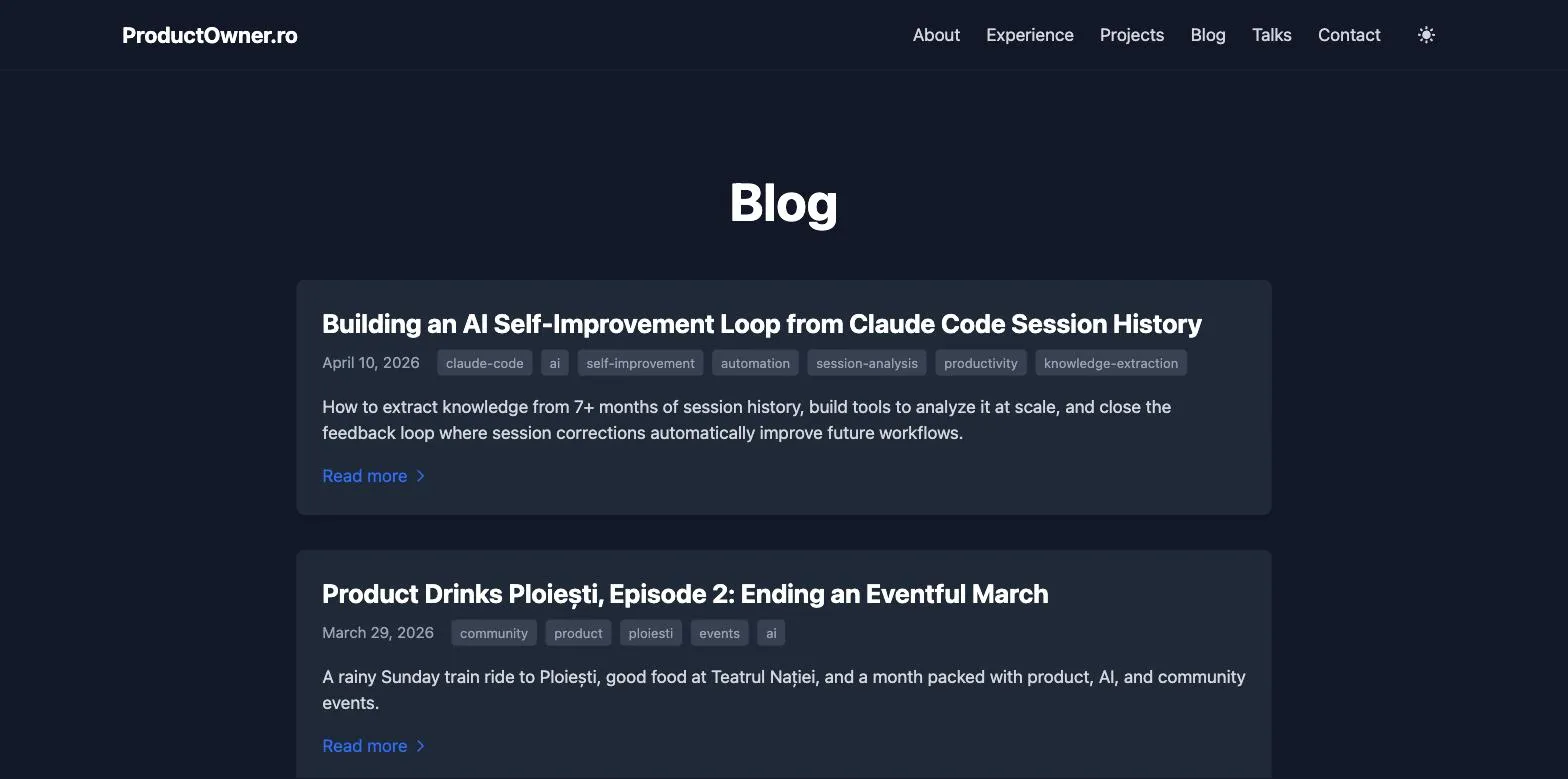
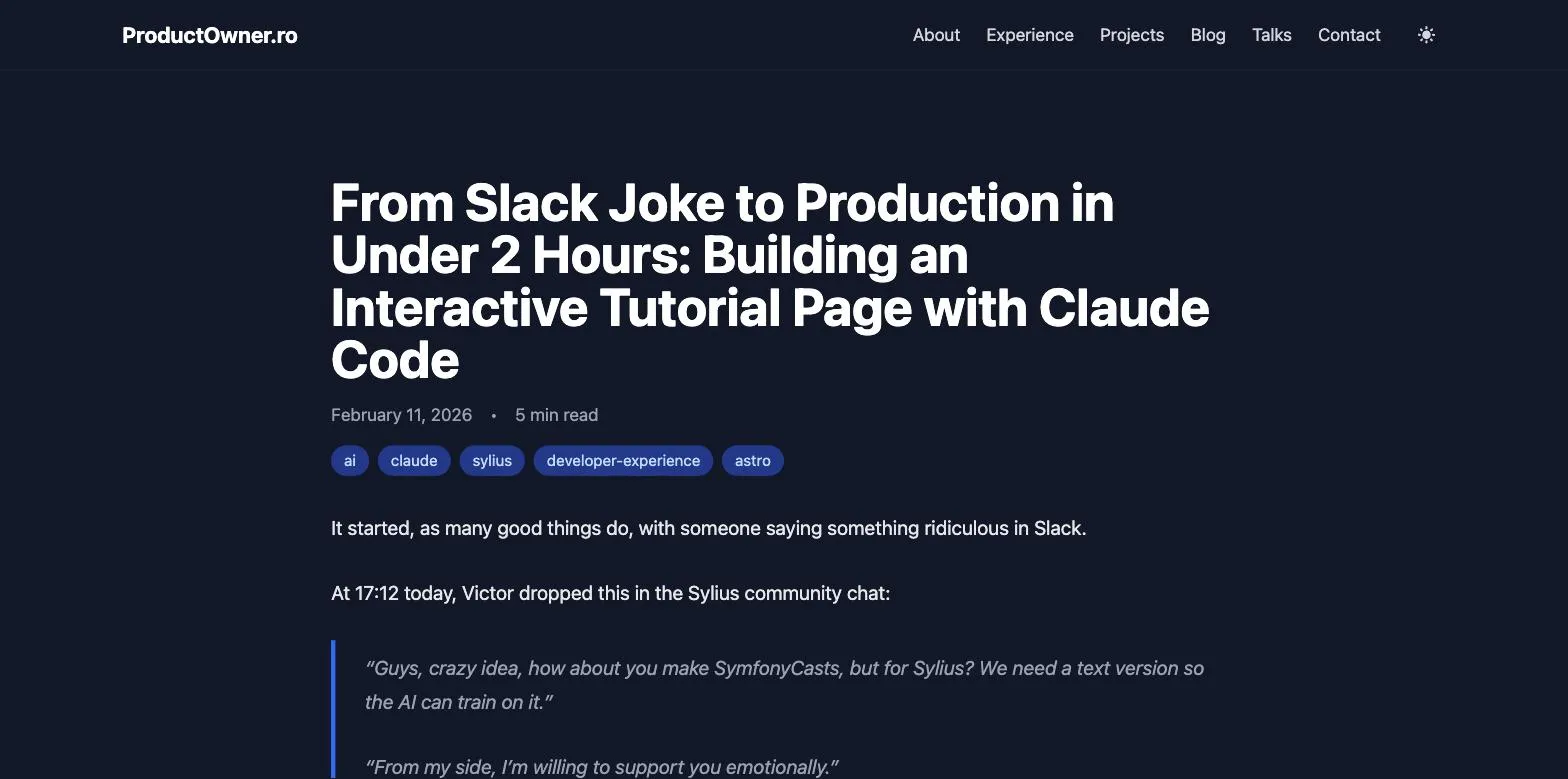
Those three images are not from my Downloads folder. I never saved them. Claude took them inside a session, they went into the transcript as base64, and the extractor pulled them straight back out as the files you’re looking at. This post is illustrated with screenshots recovered from the conversation that wrote it.
Making it stick
A one-off script is a one-off script. The next time this happened I’d be writing it again, or digging for where I left it. So I did two more things.
First, a skill, so I can stop thinking about transcripts and file paths entirely. In any session where Claude drove a browser, I say “extract the screenshots from this session” and it handles the rest.
Second, a small hook. There’s one catch with the skill: to extract the current session’s screenshots, it needs to know which transcript file is the current session. And Claude, oddly, has no idea what its own session ID is. So a SessionStart hook drops the transcript path into context at the start of every session. Claude Code already hands session_id and transcript_path to every hook. The hook just echoes it back where Claude can see it.
All of it, the extractor, the hook, the skill, is on GitHub: claude-code-screenshots. Install steps are in the README.
The screenshots are the tip of the iceberg
Here’s the part I actually want you to take away.
I went looking for screenshots and found something bigger: the transcript is a complete, structured, machine-readable record of the session. Screenshots are just the most visceral example, because they’re binary and you can see that you “lost” them. But the same file holds every command Claude ran, every file it touched, every decision, every correction you made, every dead end.
We treat the Claude Code conversation as ephemeral. Scroll up, skim, lose it. It isn’t ephemeral. It’s ~/.claude/projects/, one fat .jsonl per session, and it’s all still there.
I’ve written before about mining that history for knowledge and feeding it back into better workflows. This is the same idea at the smallest possible scale: something you thought was gone, recovered from a file you forgot was being written.
Before you assume something from a Claude Code session is lost, check the transcript. It’s almost always in there.
Two dozen screenshots I thought I’d lost, recovered from a text file I forgot existed. The lesson generalizes: in Claude Code, “I lost it” almost always means “I haven’t looked in the transcript yet.”
If you extend the tool, or find a cleaner way to label the frames than I did, let me know.